
The Ultimate Guide to Delete TeraBox Account in 1 Minute (2026)
Everything goes down the drain when apps glitch constantly, and ads intrude. You can have privacy concerns, frequent login failures, blank screens, and slow speeds that can lead to TeraBox account removal.
Therefore, I am here to give an ultimate, simple guide to delete the TeraBox account within seconds and move to a better option. Once you learn about the deactivation of your TeraBox profile, you will get rid of all annoying issues.
The only thing to keep in mind is that the account deletion is permanent, and you have to shift your sensitive data before hitting the “Delete Button.”
Precautions to Delete TeraBox Account
Before you delete TeraBox permanently, I want to discuss some precautions and the significant things you should consider before deletion.
To avoid all of the above things, here are the precautions you should take before the TeraBox account removal. These things will save you from data loss and save your charges if you have activated an automatic subscription.
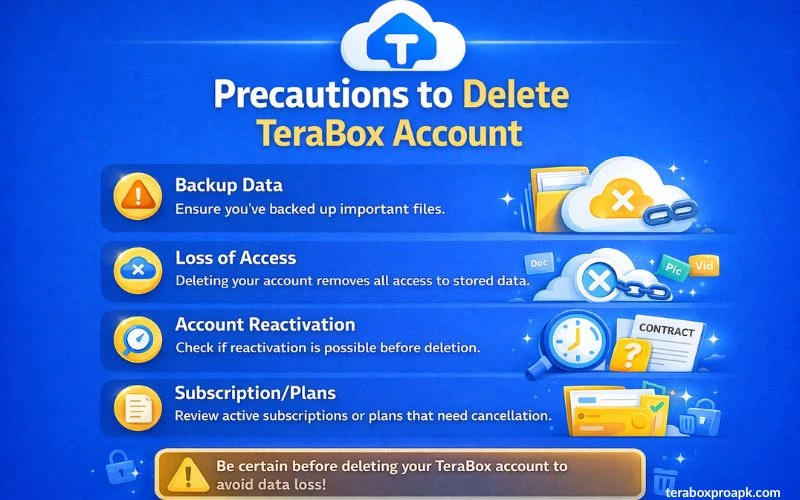
Switch to Backup
Turning on the Backup button can save all of your data and critical files instantly. You can backup the whole TeraBox account, no matter how large the volume is. Besides, you may also backup essential data so that the data is safe when you delete your TeraBox profile.
Erase your Storage
The next step is to erase your storage safely. That means you have to clear all the data present in your TeraBox Account. Additionally, you need to disconnect your smartphone from the device so that no more files are restored there.
Turn Off Automatic Subscription
Before the deactivation of the TeraBox profile, don’t forget to turn off the automatic renewal of the subscription if you’ve taken it. Your account will not be deleted if you have not cancelled the subscription before. Tap on your TeraBox profile and navigate the cursor to active subscriptions to go through the cancellation process.
NOTE: TeraBox vs Google Drive is the must-read option if you’re looking for an alternative to TeraBox, as it gives a comprehensive comparison. Now, let’s move towards the manual guide on how to delete the TeraBox account in no time.
Manual Guide to Delete TeraBox Account
Here is a simple step-by-step guide that you have to follow for the TeraBox account deletion without taking any complex instructions.
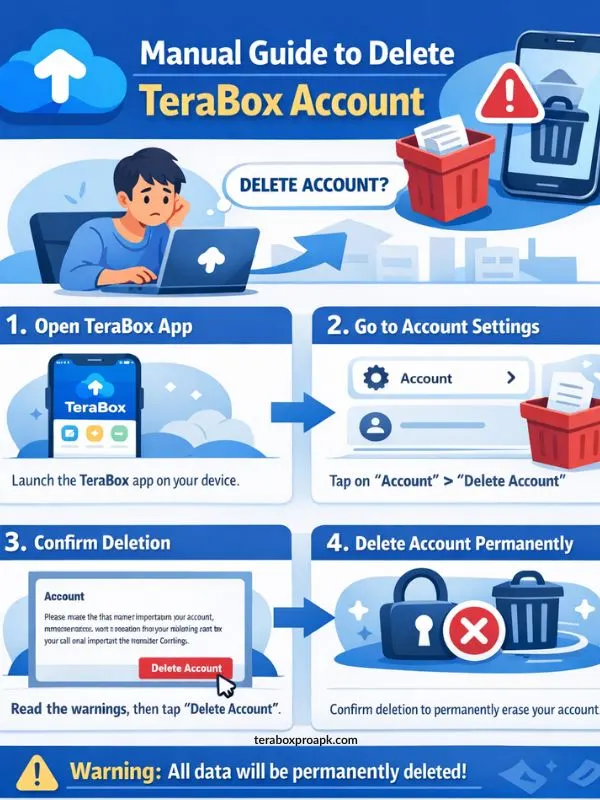
Step 1 – Login to your TeraBox profile by providing the correct login credentials for your username and password.
Step 2 – Agree to the Terms and Policy if pop up on your screen. You can face intrusive ads and tap on the “Skip” option to continue.
Step 3 – Now tap on the profile icon and navigate the cursor to the settings of the app.
Step 4 – Scroll the cursor to the TeraBox security centre settings and handle all the security-related actions.
Step 5 – The security centre will give you a “Delete Account” button. Tap on the button, and read the warnings that will pop up on your screen after hitting the delete button
.Step 6 – After reading the warnings, confirm the TeraBox account deletion by tapping “Account Cancellation”. Simply “jump through the hoops” on your screen to share your security details.
Once the account is permanently deleted, you’ll lose all access to it forever. If you run into any trouble deleting it or hit roadblocks along the way, reach out to the TeraBox support team for quick help.
Note: You can read a comprehensive guide about how to remove TeraBox ads, instead of deleting the account based on your needs.
Manual Guide to Cancel TeraBox Subscription
Here is a quick guide to perform the necessary TeraBox cancellation steps, whether you are using an Android smartphone, iOS, or PayPal. You have to follow the steps given below as they are provided.
Cancellation of TeraBox Subscription on Android

Caution! Before deleting your TeraBox account on Android, don’t forget to use TeraBox MOD APK as it sorts 90% issues of app glitch or intrusive ads.
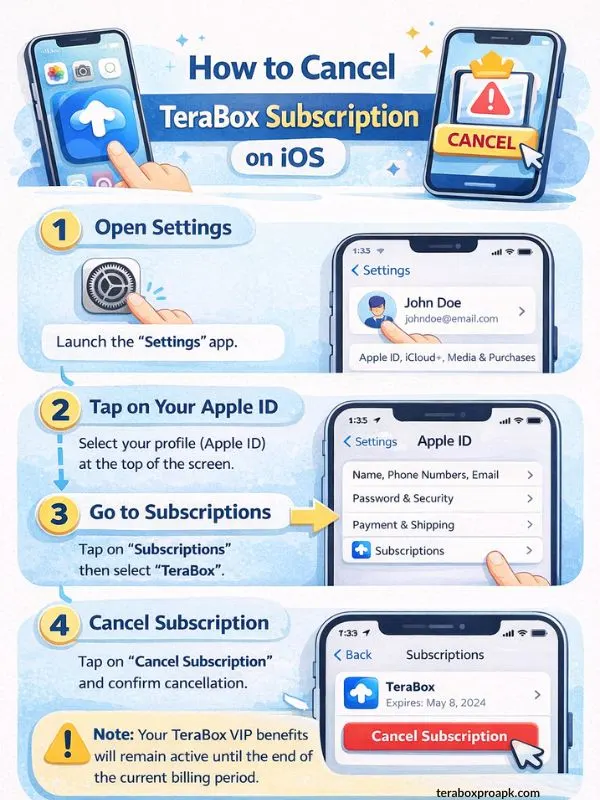
Cancellation of TeraBox Subscription on iOS/Mac
Guide to Cancel Paypal TeraBox Subscription

Irreversible ? TeraBox Deletion Consequences
Of course, you will have significant problems like privacy concerns, more storage needs, or finding a better alternative to TeraBox. But there are some consequences that every TeraBox user should know before they delete their account permanently.
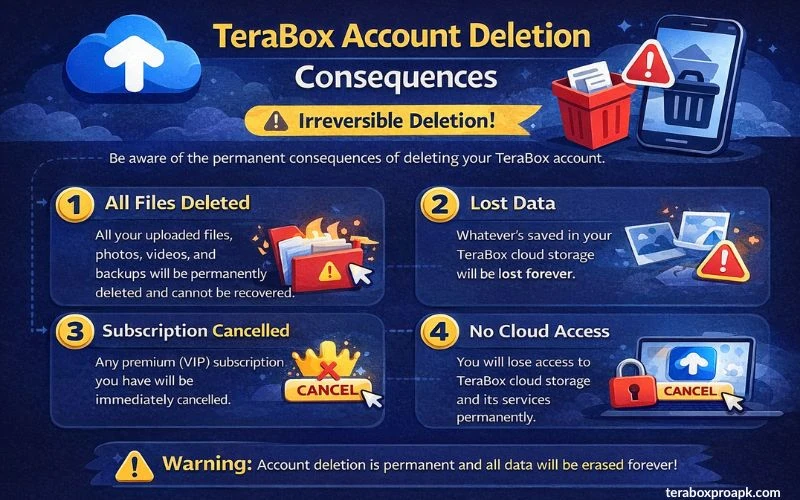
When you uninstall the app, the app cache clears, shared links break, and any referrals or bonuses tied to the account expire. TeraBox warns about these in-app issues before confirmation to avoid any regrets.
What People Ask | FAQs
Wrapping it Up!
TeraBox account removal is simple if you have turned on the Backup and removed all the subscriptions. The only thing to remember is that all your TeraBox Cloud Storage will be removed, and you’ll be logged out of all of your devices.
Therefore, when you make the decision to delete your TeraBox account, it’s good to be aware of all the consequences and the essential steps to take before account deletion.